Installing Arch was the easy part. Everything else about that night was not.
Before I let an Arch installer anywhere near my main drive, I took the whole desktop apart and pulled every hard drive out by hand. Not a backup running quietly in the background, not a script I trusted to leave the right disk alone. The actual drives, sitting on the desk where I could see them the entire time.
I'd been putting off switching to Arch for a while, and it wasn't the install itself I was scared of. It was everything that could go wrong on the way there: the wrong partition selected, a script pointed at the wrong disk, one bad flag on a format command. The ways you can lose a drive are short and brutal, and I didn't want to be the one who found out which one first.
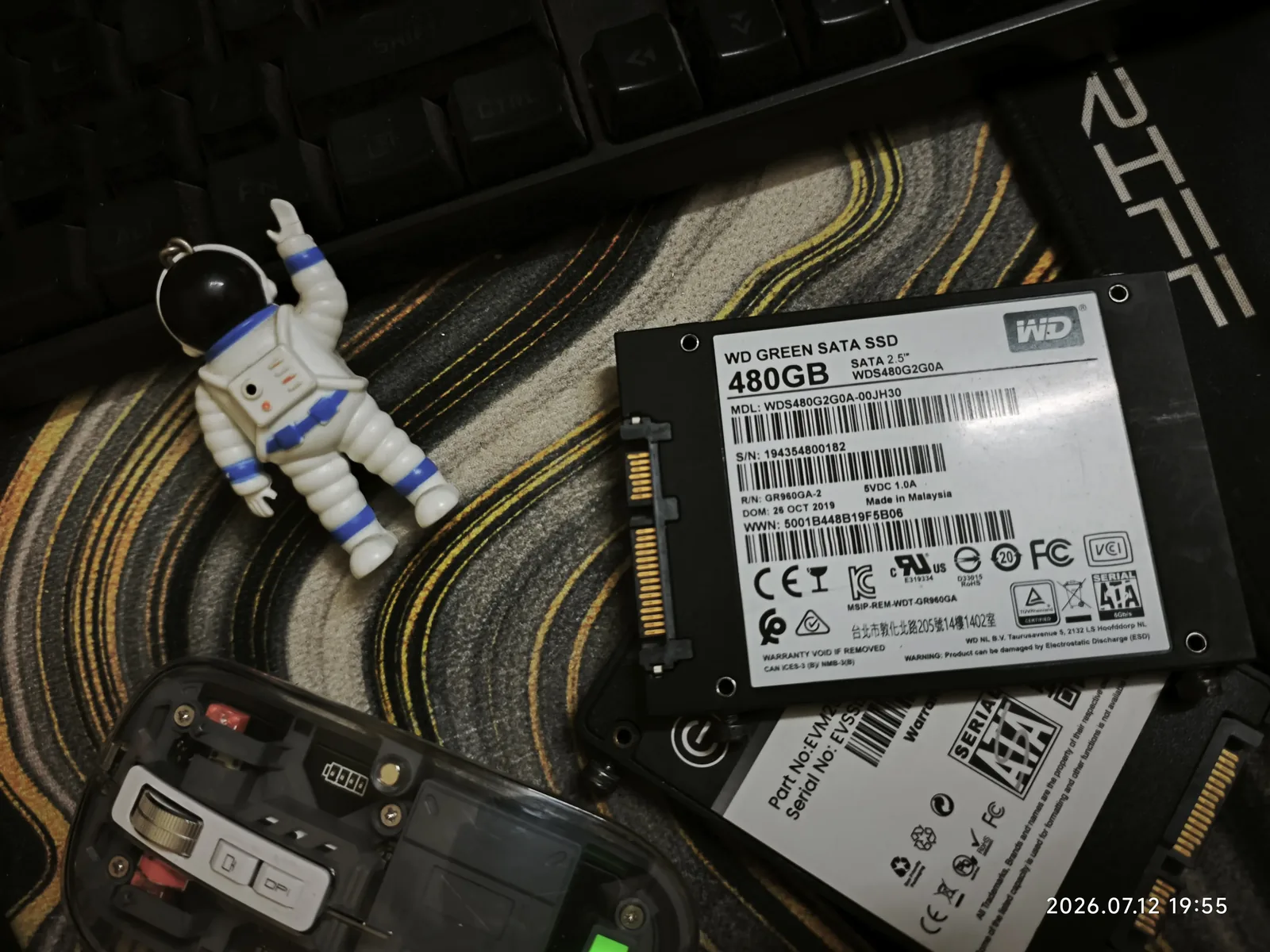
So instead of trusting a backup to protect data sitting on the same machine I was about to install onto, I removed the risk physically. Every drive that didn't need to be in the case for the install came out, including the 480GB WD Green SATA SSD in the photo above. Its only job that day was to sit on the desk, far away from anything I was about to run as root.
Every SSD or HDD label carries some version of "warranty void if removed" and "can be damaged by electrostatic discharge," and there's a reason for both. If you're doing the same drive-yank move, ground yourself first. Touch bare metal on the case, skip the carpet, and don't let your own precaution be the thing that kills the drive.
Once the side panel's off and you're elbow-deep in cables, "just pull the drives" stops being the whole task. I noticed the keyboard hadn't been cleaned in months, so that came apart. The mousepad needed straightening. Somewhere in there I found a busted remote with its battery cover popped open, buried under a pile of cables for who knows how long, and that got taken apart too. Forty minutes in I had a fully disassembled desk, a rescued astronaut keychain that used to live under a keyboard cable, and I still hadn't touched the actual install.
Give me an open case and free time and I will apparently reorganize an entire desk before doing the one thing I sat down to do.
After all that setup, drives out, desk cleared, paranoia at maximum, the actual Arch install ended up being the calmest part of the night. Coming from [your old setup], the process was more methodical than dramatic: partition, mount, base system, bootloader, reboot, hope. It booted on the first try, which felt like it deserved more of a reaction than I gave it.
Ended up on [your WM/DE] for the actual desktop. How that's configured is probably its own post once it stops changing every other day.
Once everything was back together (drives reseated, desk rebuilt, new OS running), the display looked soft. Not broken, not artifacting, just faintly blurry, the kind of thing that makes text near the edges of the screen slightly harder to read than it should be. That's the classic symptom of an analog VGA connection. Unlike HDMI or DisplayPort, VGA sends the signal as continuous analog voltage, so cable quality, cable length, and even the exact resolution and refresh rate the GPU is pushing can all show up as this same soft, fuzzy image instead of a signal that's either clean or visibly broken.
Fixing it mostly meant making sure the GPU and the monitor agreed on the exact same timing instead of the monitor guessing:
# check what modes the monitor actually reports over EDID/DDC
xrandr --verbose

# force the exact mode instead of letting it auto-negotiate
xrandr --output VGA-1 --mode [your resolution] --rate [your refresh rate]
Between that and the monitor's hardware "auto adjust" button, which re-syncs the analog signal's phase and clock against whatever's coming in, the fuzziness cleared up. If you're on VGA and seeing the same thing, check both of those before you start blaming the cable.
None of this was the plan for the evening. I sat down to switch one distro and somehow ended up doing hardware surgery, cleaning half my desk, and troubleshooting a monitor cable from another decade. Would do it again. I use Arch btw.